
Tata Consultancy Services
Designing an AI-Powered Intranet Experience for TCS in Under 2 Hours
TCS AI Hackathon 2025
AI-Powered Intranet Search Experience
AI-Powered Search Intranet
Let’s walk through how I used AI tools to transform a complex enterprise challenge, from concept to working prototype in a single working session. This work was part of Tata Consultancy Service’s AI hackathon.
TCS employees currently struggle with an outdated intranet system where finding even simple information like “how to request a day off” or “what trainings I need to complete” takes far too long. The goal was to design an AI-powered search tool that could instantly surface relevant results, reduce friction, and modernize how employees interact with company resources.
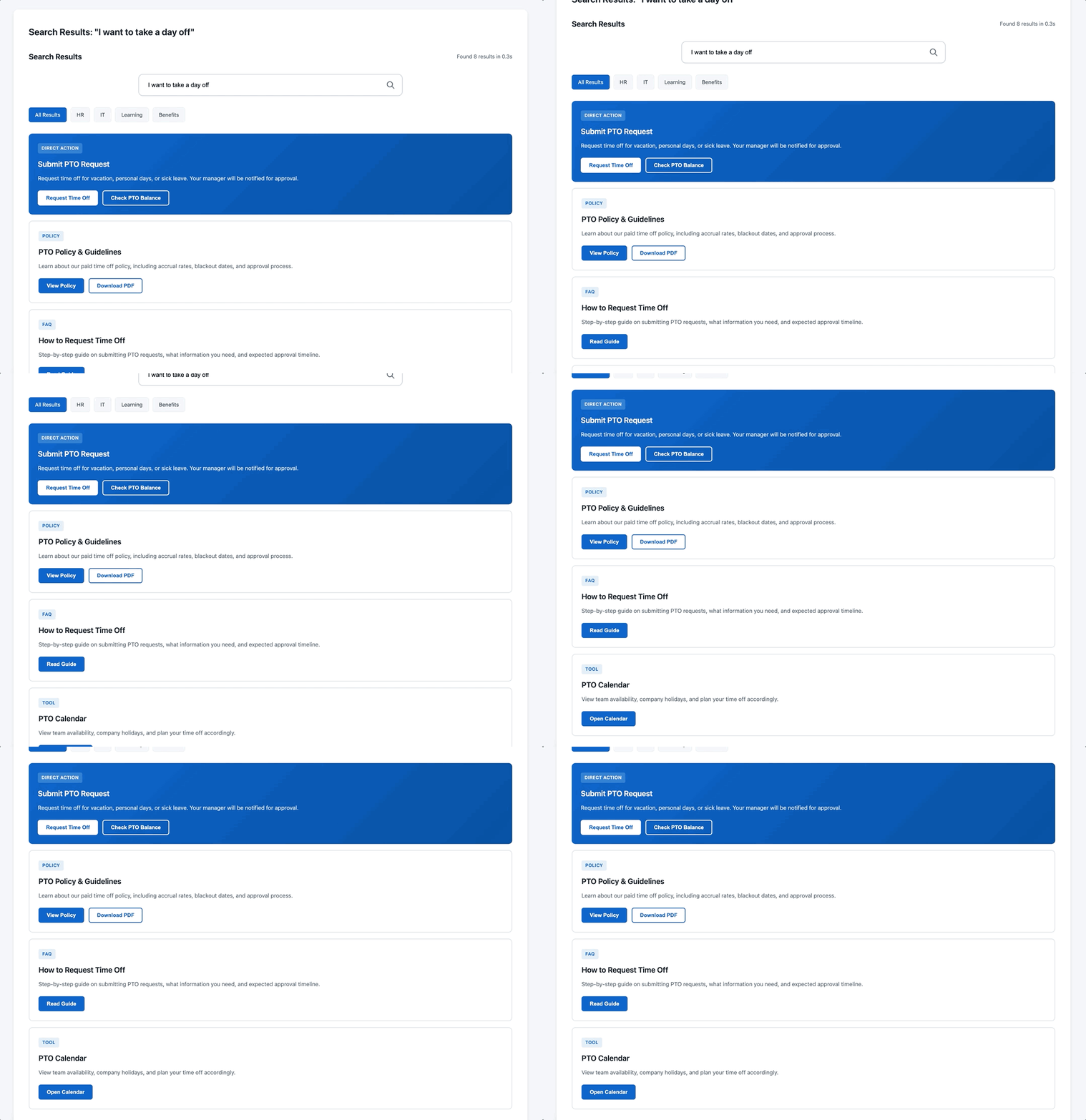
Claude’s low fidelity, but highly detailed, AI-powered search intranet design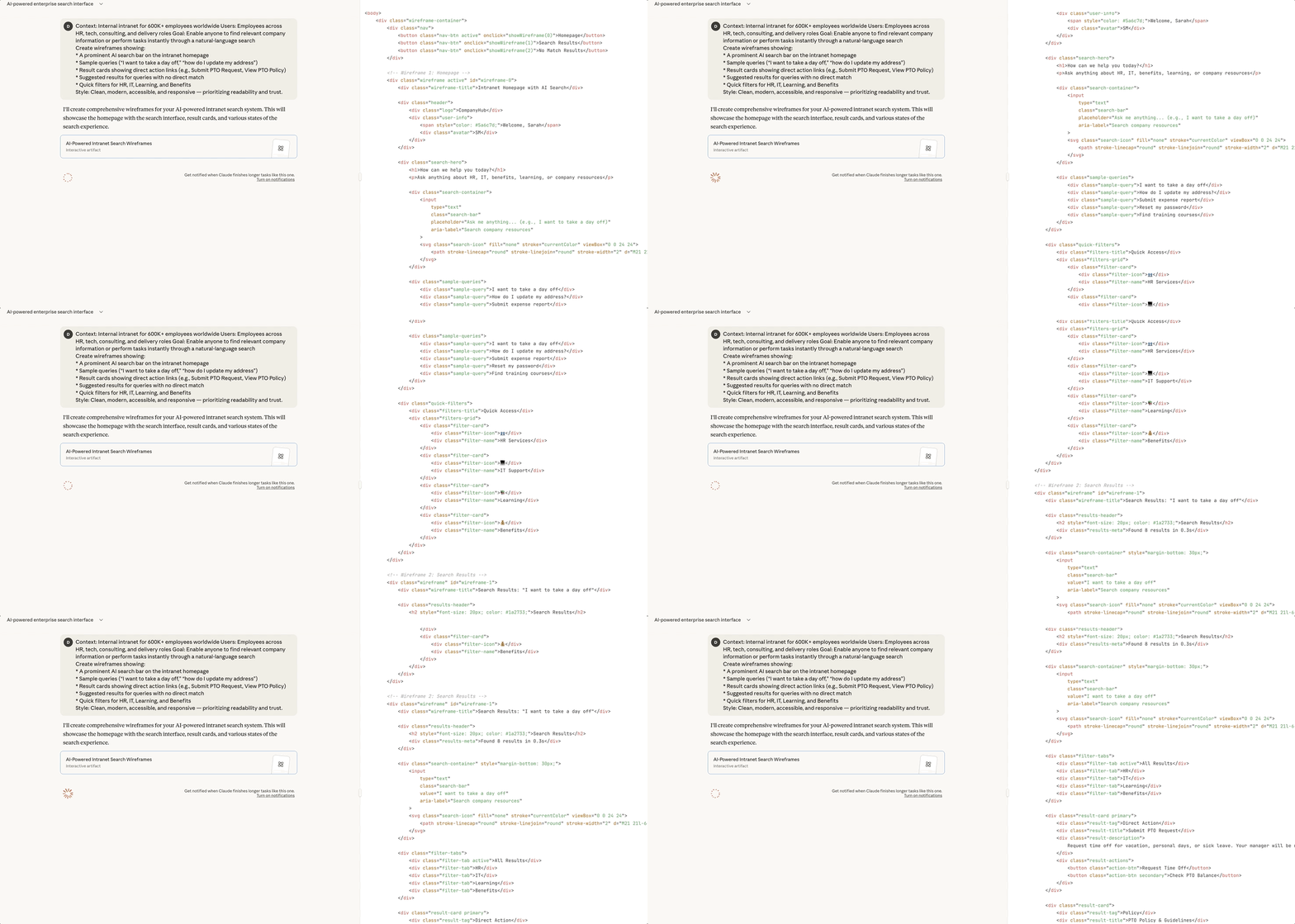
Step 1 - Research with a custom GPT
I started by creating a Custom GPT persona to simulate an internal TCS employee and uncover real frustrations. I named her Julie, a project analyst who uses the intranet daily to find HR info, complete training, and manage tasks.
Here’s a snapshot of the setup I used:
“You are Julie, a TCS employee who often struggles to find the right pages on the intranet.
Tell me what you love, hate, and wish you could change about your search experience.”
Key insights that emerged:
“If I type ‘I want to take a day off,’ it should take me straight to the form — not a list of old PDFs.”
“I’d love it if the search remembered what I usually look for — like recurring tasks or my department’s resources.”
“When there’s no exact match, I still want helpful guidance — maybe related results or next steps.”
Step 2 - Rapid wireframing with Claude
Once I had my research insights, I moved to Claude’s canvas to quickly generate wireframes based on realistic use cases.
I told Claude to imagine a clean, modern intranet homepage with a central AI search bar that supports natural language. Users could type questions like “how do I update my address?” or “show my required trainings” and get structured, actionable results.
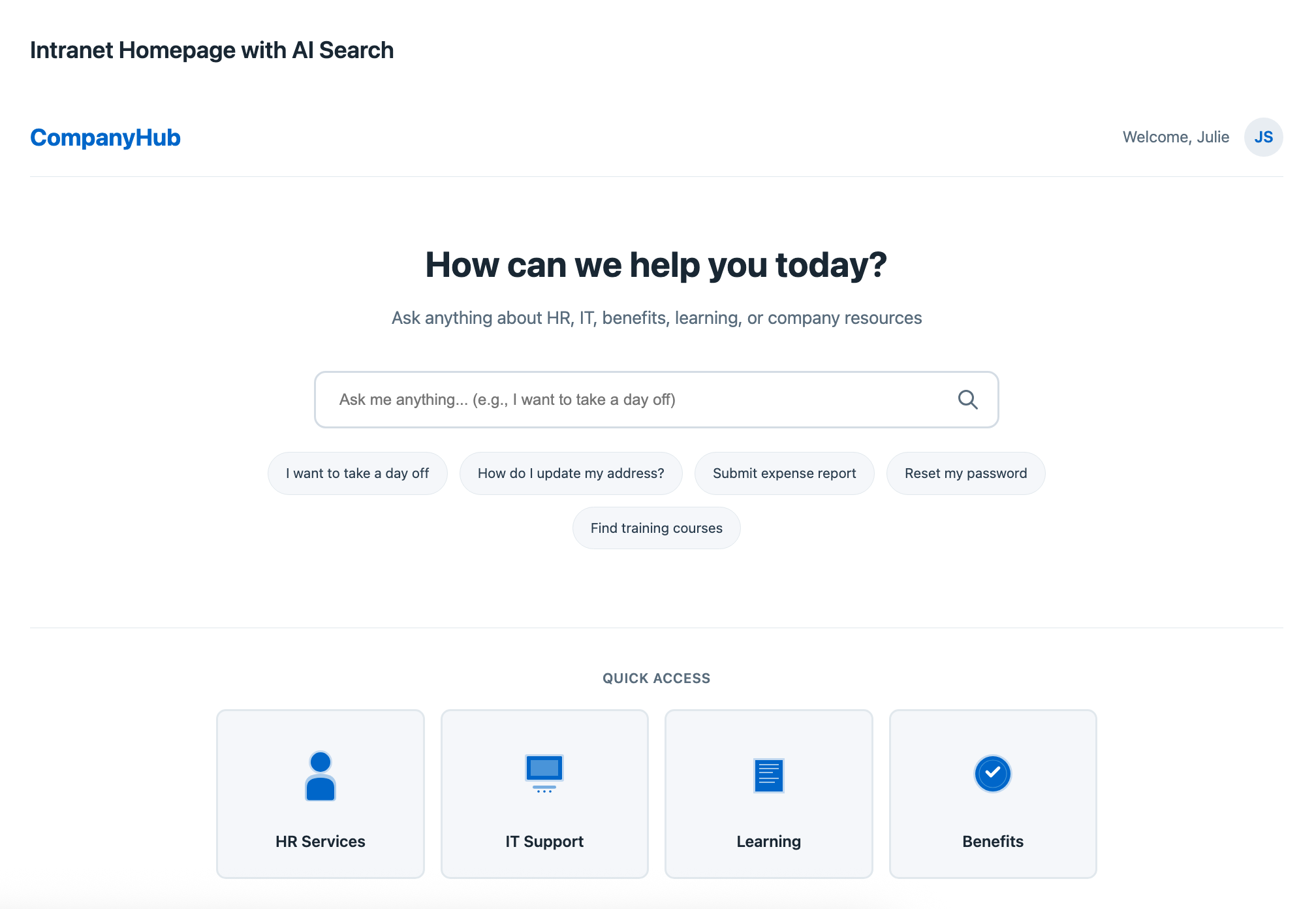
Low fidelity Intranet’s home page with AI search barOutput summary
Claude produced a set of data-rich wireframes featuring:
A large central AI search input field with placeholder examples
Auto-suggestions appearing as users type
Smart result cards with icons (e.g., HR, IT, Training)
“Did you mean…” and “Related topics” prompts for ambiguous searches
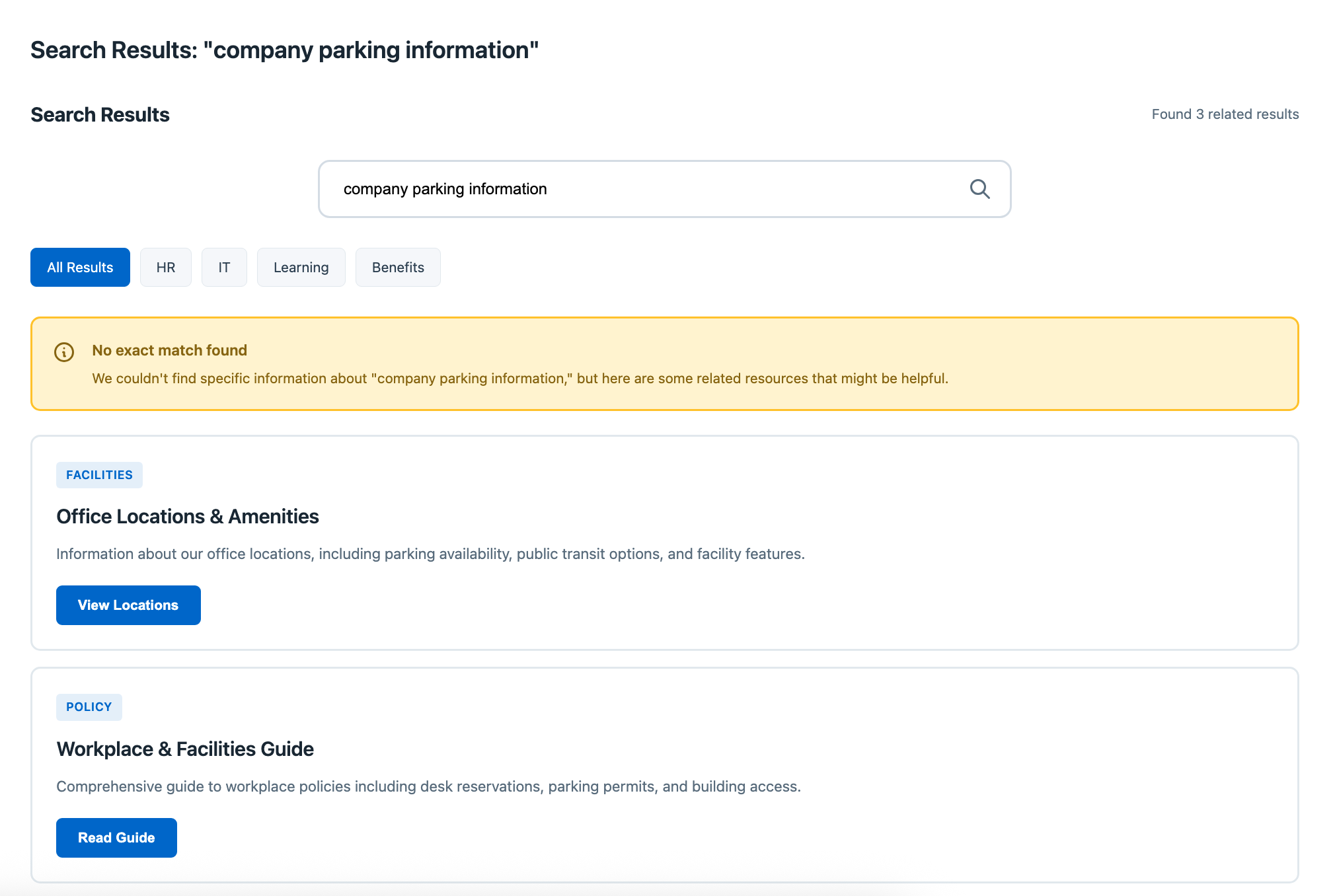
Example of when the AI can’t find information related to the searchStep 3 - Interactive prototype with Lovable
I then moved into Lovable to bring the wireframes to life. The tool helped me rapidly test variations of the experience and create a functional MVP-level prototype.
The prototype visually represented the full interaction flow, from typing a query to viewing actionable results. Lovable’s generative features made it easy to iterate quickly and refine layout and tone before involving the development team.
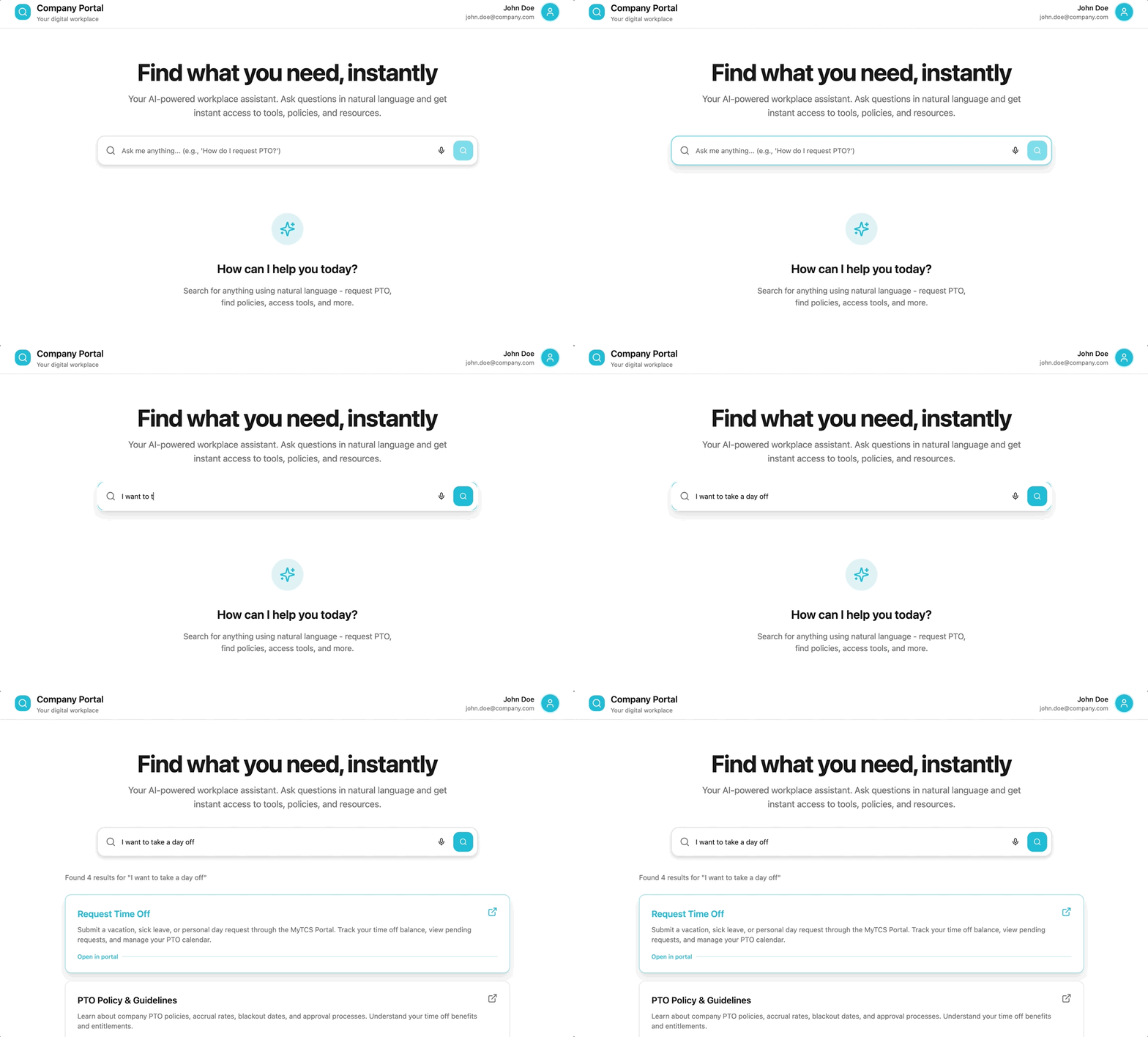
Lovable prototype visually representing the full interaction flowStep 4 - Engineer feedback session
Once the interactive prototype was ready, I shared it with an engineer and asked for feedback.
Their responses were positive: “We can build this exactly as shown. The structure is clear. React components for cards and filters would work perfectly.”
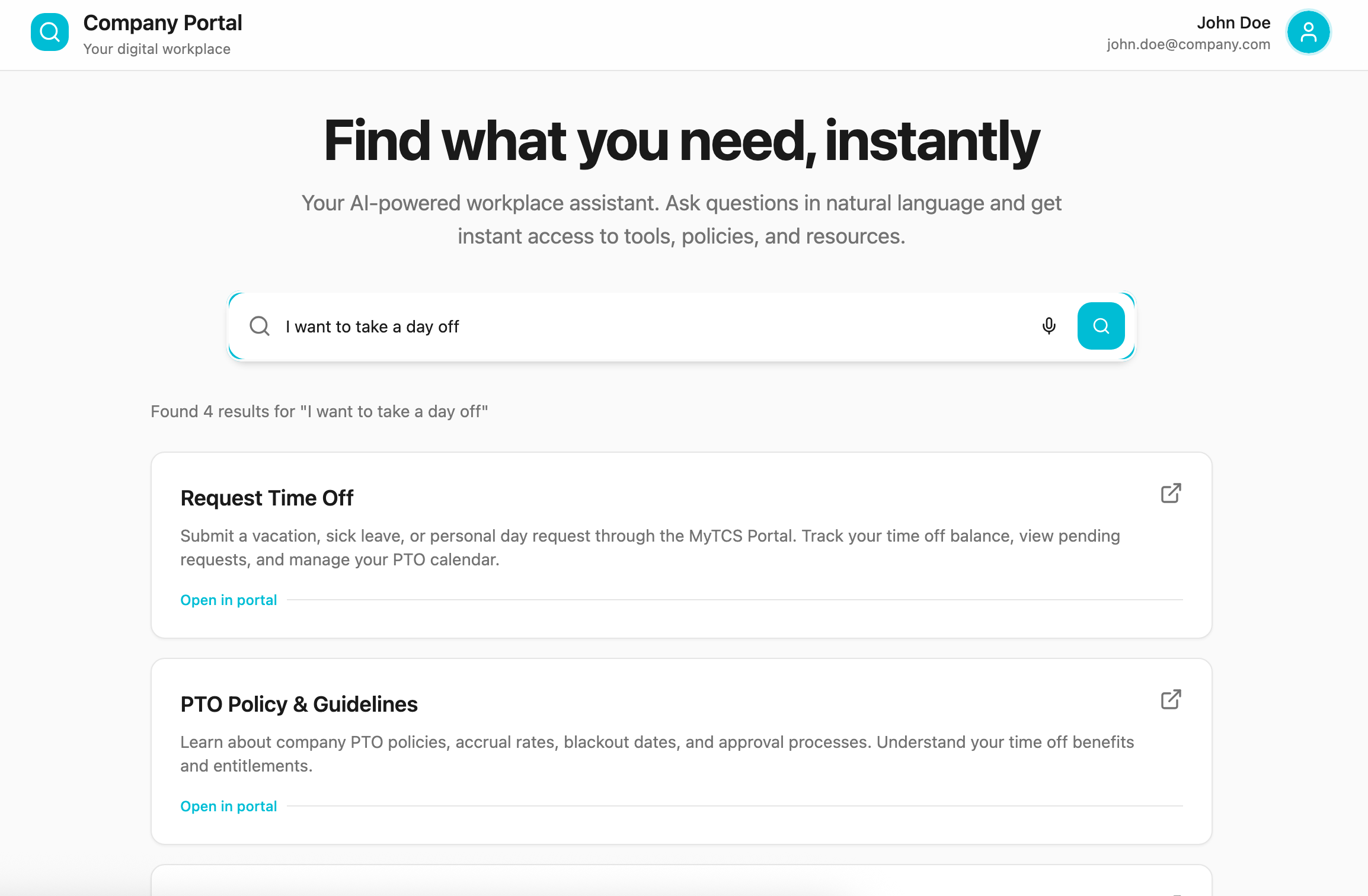
Lovable prototype shared with engineersThe results
Total time: About 2 hours of focused design and prototyping
Compared to the traditional approach: Reduced from an estimated 1–2 weeks of design iteration to a same-day deliverable
Outcome: A near-production-ready prototype showcasing an intuitive AI intranet search that could scale to serve all TCS employees
What made this process effective:
Domain-grounded research: AI personas helped uncover internal pain points traditional surveys might miss
Fast iteration: Claude and Lovable streamlined the design process from concept to prototype
Developer alignment: Engineers received an interactive model they could immediately scope
Loveable in actionMy learnings
This project was a great example of how AI can enhance the design process itself, not just the product. By combining generative tools with UX thinking, I was able to go from concept to working prototype in a single session, all while creating something that could make every TCS employee’s day a little easier.